Expand a call activity in an Enterprise BPMN collaboration process
In diagrams of the Enterprise BPMN collaboration diagram type, you can assign multiple models to a Call activity object.
You can expand a call activity.
Procedure. Procedure (quick video)
Open an Enterprise BPMN collaboration diagram containing an object of the Call activity type or model one.
Click this object.
Activate the BPMN tab bar.
Click
 Activity >
  Expand.
You have expanded an object of the Call activity type. The objects of the assigned processes cannot be depicted if multiple enterprise BPMN collaboration diagrams are assigned. The  lock symbol is displayed instead.
Tip
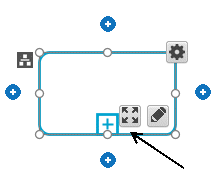
You can expand an object of the Call activity type by clicking the symbol Expand.