Show objects to a selected depth
You can show previously hidden objects to the specified depth.
Prerequisite
You have hidden the objects.
Procedure. Prerequisite
Select the objects that are to be the starting point of the display depth.
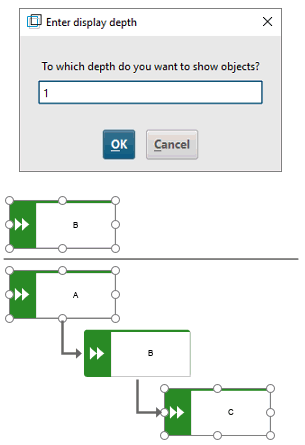
Click Hide/Show > Show to a depth of. The Enter display depth dialog opens.
Enter the display depth.
Click OK.
The corresponding objects and connections are shown.
Example 60.
Let us assume that you have hidden objects A and C that are linked with object B by connections. If you select object B and select display depth 1 using the dialog, objects A and C will be shown together with their connections.